Every student learns from your lessons. You see who’s stuck.
Zelvi explains with pictures and voice, from your own material. When a student gets it wrong, it re-teaches that exact mistake. You see what each one missed, and fix it for the whole class in one click.

See it work
One question, from stuck to fixed. Then who sees it.
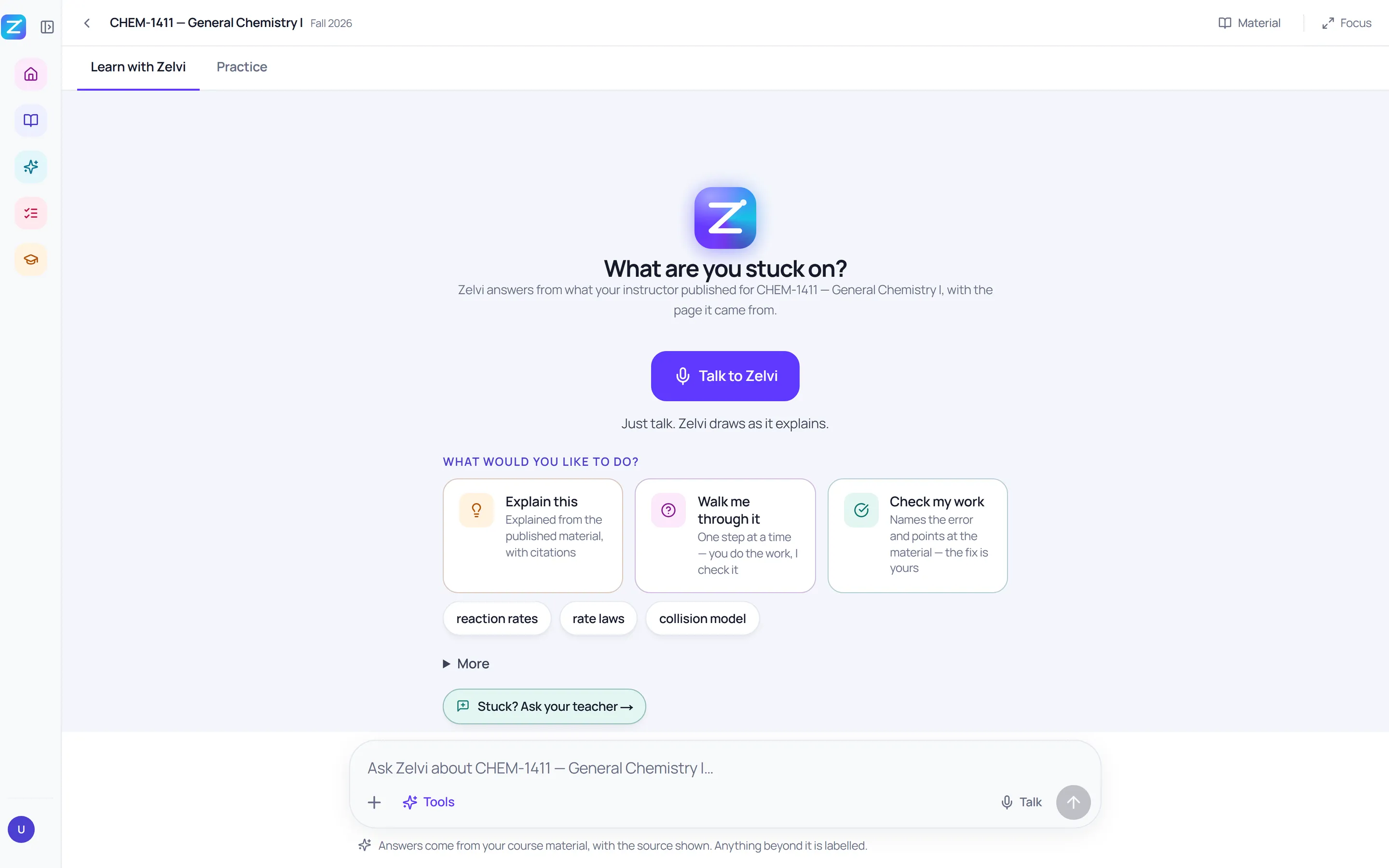
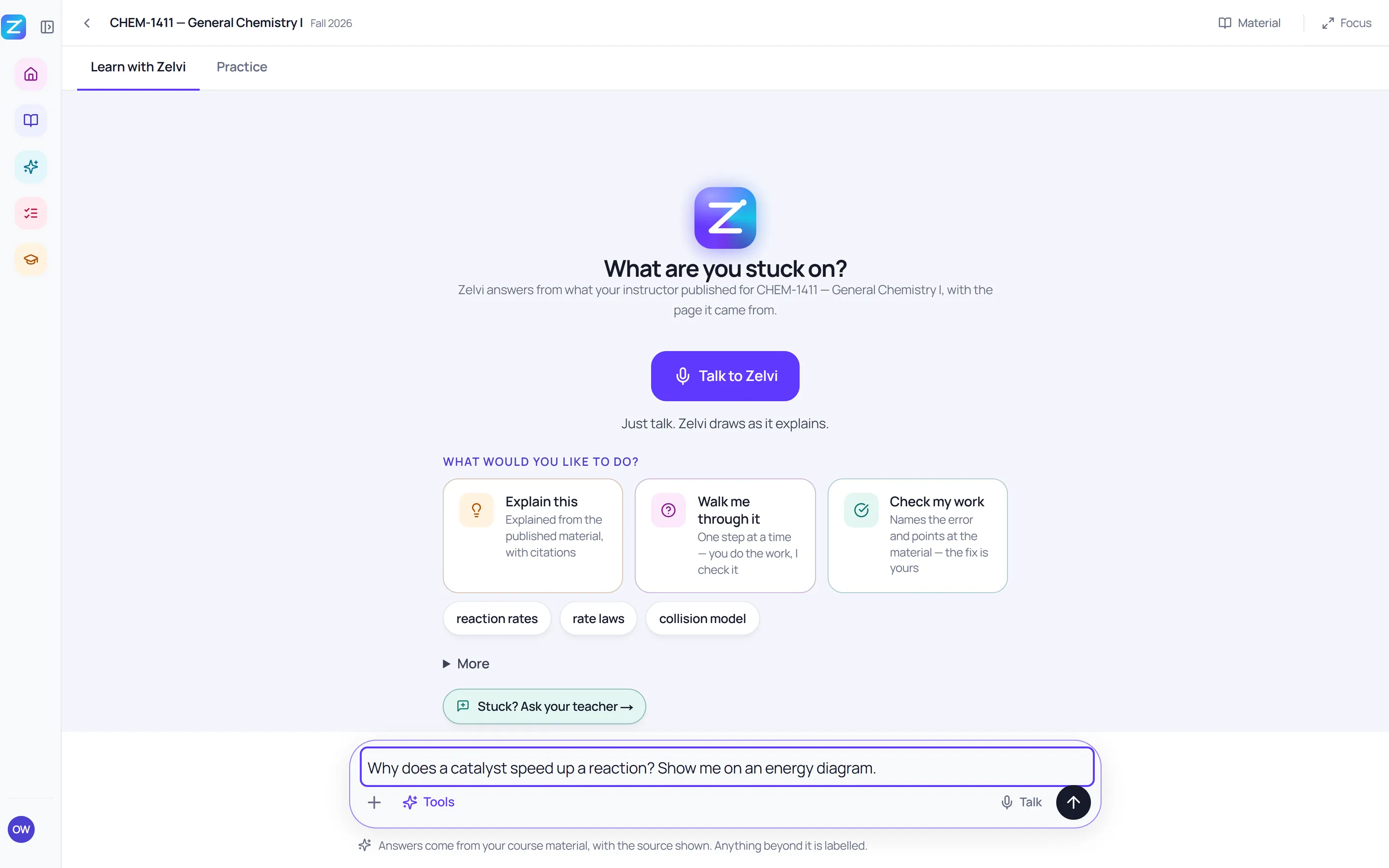
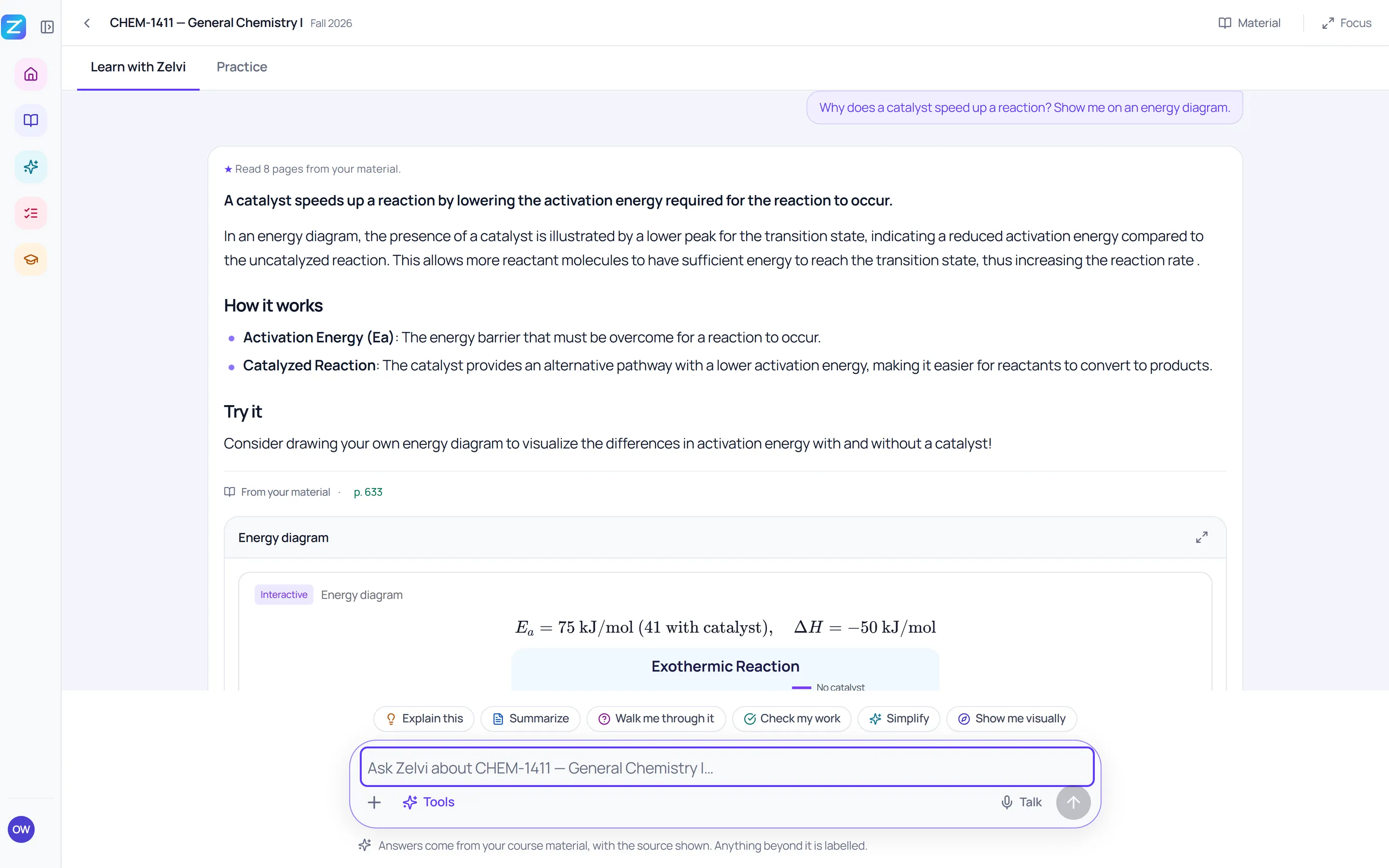
A 32-second walkthrough of real Zelvi screens on a demo college:
- A student opens their course. Zelvi answers from what the instructor published
- They ask in their own words
- The answer comes from their course textbook, not the open web
- Cited to the page: p. 633
- One click opens the exact passage Zelvi read
- Then it draws it: the same reaction with and without a catalyst
- Every picture is interactive: drag the sliders and it redraws
- Then it checks they really got it
- One question. No timer
- A wrong answer: Zelvi names the mistake and keeps the answer hidden
- Second try, fixed. The teacher sees it as recovered
Real product screens on a demo institution. The learners and their work are synthetic.
Why Zelvi
Other AI tools write for a class they’ve never met. Zelvi has met yours.
And it reports back, with numbers, on whether its help stuck.
- 1
Student
Gets it wrong
Zelvi names the exact mix-up and re-teaches it with a picture, from your own lesson. Then they try again.
- 2
Teacher
Sees who is stuck
One colour map of the class: who has it, who needs help, and the ideas the class is stuck on.
- 3
One click
Fixes it tomorrow
An exit ticket aimed at those exact ideas, and a short note for every family. Ready to send.
A typical AI writing tool
- You type a topic
- It writes a generic worksheet
- You still guess who needs it
Zelvi
- Students practise your own lessons
- Zelvi records every mistake, idea by idea
- It writes for the exact students and the exact mistake
- 1
Your lessons, not the internet
Every answer points to the page it came from, and says so when it goes beyond your material.
- 2
Every mistake, idea by idea
Each wrong answer is matched to a teacher-reviewed mix-up, so tomorrow’s exit ticket goes to the right students.
- 3
A report card on its own help
How often a stuck student then got it right alone. Built on your own students, with sample sizes shown.
Does it help students learn?
No AI tool can promise that. We’ll show you, on your own students.
What the research says
Nearly 1,000 high-school maths students. With plain ChatGPT, practice scores rose 48%. Once it was taken away, exam scores fell 17% below students who never had it. A tutor built to give hints, not answers, largely removed that harm.
Bastani et al., PNAS, 2025A randomised trial in a Harvard physics course. Students using a carefully designed AI tutor learned significantly more, in less time, than in an active-learning class.
Kestin et al., Scientific Reports, 2025
AI helps when the student still does the thinking. Zelvi is built that way.
- A hint comes before any answer
- After a first miss the answer stays hidden, so the retry is theirs
- The mistake gets a name, taught from your own lesson
- Practice is marked by rule, not by the AI
Your number in six weeks
- Day 1
Set up in 30 minutes
Upload one unit, share a join code. You agree with us what success looks like.
- Week 2
Your class map
Who is stuck, on which ideas, and what to reteach.
- Week 6
Your evidence report
How often stuck students got it right on their own, built on your own students with sample sizes shown.
Every program
One Zelvi. Every classroom, clinic and shop floor.
For teachers
One click. Built from what your students actually did.
Quick check on what they're stuck on
A 3-minute end-of-class check. Wrong choices built from the mistakes your students really made.
A note for every family
Plain words, no grades. Edit any note, then send them all at once.
Report card comments
Written from what each student actually did, not from a template.
One reading, three levels
The same text below level, at level and above. Same ideas for everyone.
Live class quiz game
From your reviewed questions. Each student’s misses go to practice.
Translate for families
Readings and notes in the language a family reads at home.
Safe for schools
Fits the tools you already use. Keeps students safe.
- Google Classroom
- Canvas
- Clever
- ClassLink
- Moodle
- Blackboard
- D2L
- Microsoft 365
- Student names are never sent to the AI
- Each school’s data kept apart in the database
- Your material never trains AI models
- Crisis words stop tutoring and alert staff
- Security, privacy and accessibility
See your own lesson in Zelvi.
Send us one lesson. We’ll show you your class learning from it, on a short call.
Book a pilotQuestions people ask first
How is this different from other AI tools for teachers?
Most AI tools write a worksheet for a class they have never met. In Zelvi, students practise your own lessons, so Zelvi knows which ideas each student got wrong and which wrong answer they picked. It re-teaches that mistake to the student, then gives you an exit ticket aimed at the ideas the class is stuck on and a note for every family.
Do we have to replace our LMS?
No. Students open Zelvi from their Canvas, Moodle, Blackboard or D2L course over LTI 1.3, and you keep your LMS and your content.
Does the AI make things up?
Answers are cited back to the teacher’s own material. When a student asks about something the material does not cover, Zelvi labels the answer “Beyond your course material” so nobody mistakes it for the lesson, and the teacher is one tap away.
Will it pass our accessibility review?
WCAG 2.1 AA is our target. Our self-assessed conformance report (VPAT 2.5) is available to your accessibility office on request, before anything is purchased.
How is our data kept separate?
Each institution’s data is isolated at the database level rather than by application code, verified as a real signed-in user. Data export and permanent deletion are implemented, and uploaded material is never used for AI training.
What happens if a student says something worrying?
If a student types or says something that may mean they are in danger, Zelvi stops tutoring, says plainly that it is an AI, gives crisis resources for their country, and alerts the staff your institution designates. The alert email never contains the student’s words; staff read them in the console.
Which languages does it work in?
Students can ask Zelvi to reply in 22 languages, by text or voice, and course terms keep the English beside the translation so they match the textbook. Instructors can also re-level or translate a reading from the course. Grounded STEM answers are strongest in English, and we say so.
Does it work with Clever, ClassLink or Google Classroom?
Yes. K-12 students and teachers can sign in from Clever or ClassLink, and teachers can import a Google Classroom class list. Colleges sign in with Google or Microsoft (SAML single sign-on available on request), and launch through LTI 1.3 from their LMS.
Does Zelvi replace hands-on labs?
No, and it should not. Zelvi builds readiness before the lab — the cognitive half a system can genuinely observe. Your faculty still signs off on hands-on competency.